
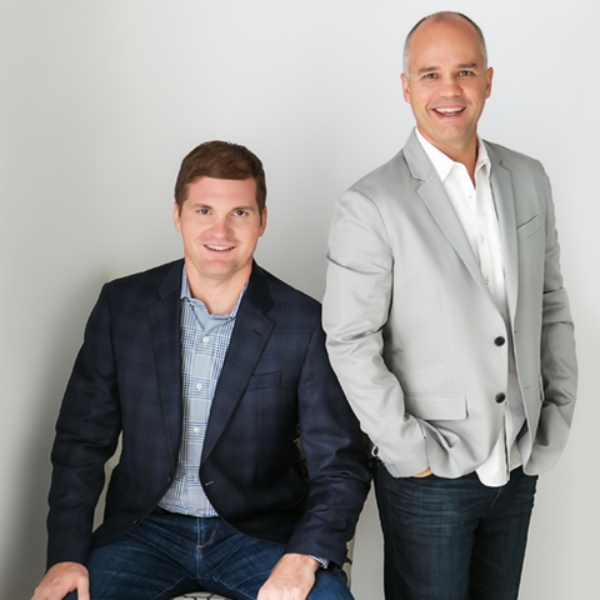
Rapid Crush, founded in 2011 by Jason Fladlien and Wilson Mattos, is based in Nokomis, Florida (just south of Sarasota).
Jason Fladlien and Wilson Mattos are quite the powerhouse of business expertise, with over 40 years combined experience between them. Globally recognized for its excellence and leadership in the delivery of digital marketing services, Rapid Crush also specializes in Webinars and Business Marketing Services.
Our webinar sales methodology has generated hundreds of millions of dollars in revenue for our company, as well as our clients. Our goal is to help you sell more, learn more & grow more. We are all about Powering Ambition.



Jason Fladlien and Wilson (Wil) Mattos founded Rapid Crush with a singular vision. It was to create a Customer First business that puts you at the center of everything we do. We exist to power your ambitions. That's the essence of Rapid Crush.
We get how business works and know exactly what it takes to build healthy brands and sustainable companies.
Customer First defines how we operate; Thoughtful, Responsive, Collaborative, and Pioneering.
We are proud of our products, services, and partnerships that have enriched the lives of thousands all over the world. Helping businesses and people attain life-changing success. That's Powering Ambition. It looks like this.

“Last year I was traveling with my family in Italy, and I had to pass on a last minute JV opportunity. Jason hit me up on Skype and asked if he could do the webinar for me since I would have to pass. I thought, “why not?” When I got back from Italy we had 1.5 million in sales and a Tesla in the driveway.”
John F. Carter Options Trading Expert
“We did 21% conversion the first time we rolled out… then we ran it to purely cold traffic and got 12 to 14% conversion… And that’s a $997 offer but it’s also $97/month after 3 months so you do the math on that. “
Jon Benson Email Copy Pro

“My first ‘Ultimate Webinar’ effort converted at 17% by the end of the session to a mixed audience of non-buyers and third party names via Facebook and other JVs. More conversions are already happening today as we follow up with recordings, telesales and upsells.”
Guy Cohen OVI Traders

“Jason can literally change your business in a few moments. I would have paid the $5,000 price just by virtue of this tool alone, which I won’t show you too closely, because it’s part of what you’re going to buy, but every moment in the room has been that “aha” moment, and I can’t say it strongly enough. You have to sign up. You have to purchase this and get to be part of this group because it will change your business, and the way you problem solve for your clients.”
Mary Jane Dykeman DDO Health Law

“Jason had made a webinar page to look just like gotowebinar sign up page. So I used that… and I immediately increased my registration rate by 10%. Between that and the other improvements I’m going to make using Jason’s methodology, that’s going to be several million dollars. Not only in my business but also to my client’s who I run traffic for because I’m going to help them.”
Jimmy Harding Exponential Growth Consulting

“Jason’s brilliant. Hands down, one of the smartest people I’ve ever met online… If you have a chance to learn from him, work with him, or have a new webinar created with you or for you, you should do it.”
Russell Brunson Co-founder of ClickFunnels
"You can have everything in life you want, if you will just help other people get what they want." – Zig Ziglar
